
The beginner's guide
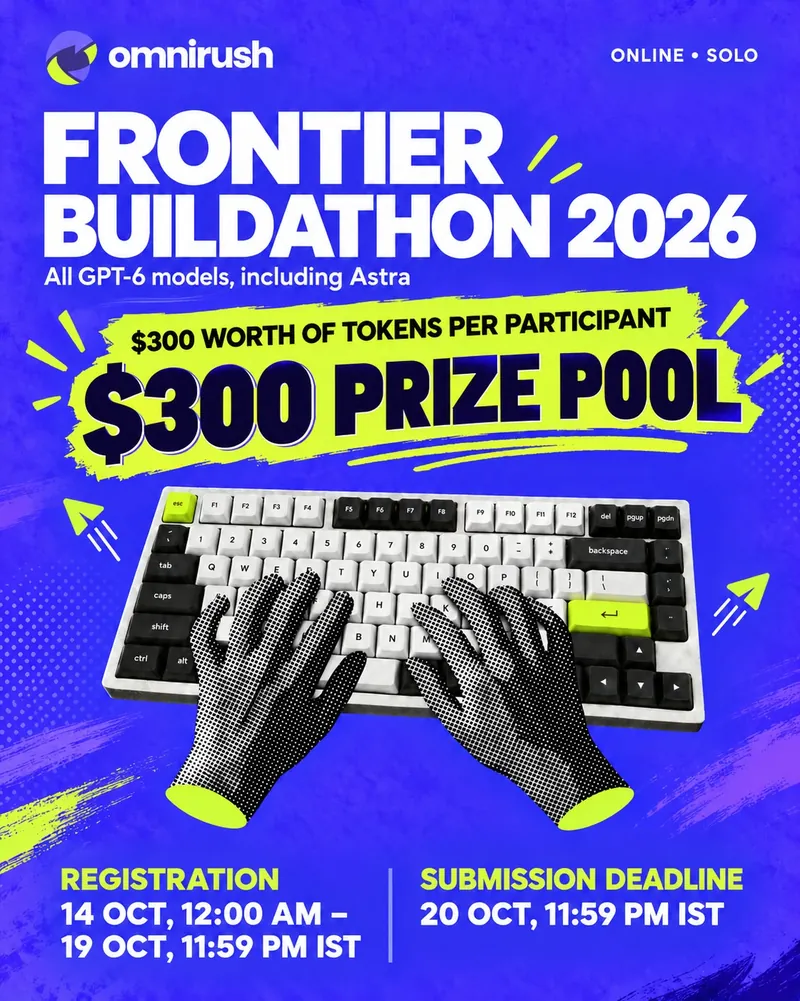
Frontier Buildathon 2026
All GPT-6 models, including Astra. 6 days. Build something real with an AI agent, even if you have never coded before.
Submissions close in
Deadline: 20 Oct, 11:59 PM IST
What you get
Free fuel. Real prizes.
- $300
of AI tokens, free
10 million GPT-6 Astra tokens land in your account the moment you join. Tokens are what the AI spends when it reads and writes for you.
- GPT-6
every model, incl. Astra
All the GPT-6 models are in the OmniRush app and command-line tool. Astra is the default, so you can just start.
- SWARM
of sub-agents
Your agent can hand parts of a job to helper agents that work side by side, like a mini team. Just ask for it.
- $300
prize pool
$150 for 1st, $100 for 2nd and $50 for the Best Use of OmniRush. Plus a real project on your GitHub that you own.
How it works
6 steps. That's it.
Never used an AI coding agent? An agent is an AI that can read, write and run code on your computer while you chat with it. You steer, it types.
Join and get your tokens
Open your buildathon dashboard and sign in (a free OmniRush account). Click Connect GitHub, then Join. Your 10M tokens are added straight away.
- Your GitHub account must be at least 3 days old. No GitHub yet? Make one now, it's free, and you'll need it for your project anyway.
- Already registered on Unstop? Sign in with the same email and you're in.
Want a prize? Join before 19 Oct, 11:59 PM IST. Within a few hours of joining, we register you on the Unstop event page with your name and email, so your entry can win.
Install OmniRush and sign in
Pick one (the desktop app is easiest if you are new) and sign in with the same account. A Buildathon · 6d 02h left countdown shows you're in.
Desktop app
Pick a track and start a project
Make a new, empty folder for your project and open it in OmniRush (or type
cd my-projectthenomnirush). Choose one of the 6 tracks when asked. Typeomnirush buildathonany time to see your countdown, tokens left and sessions.Buildathon projects run in OmniRush's Linux sandbox, and the agent follows the rebuild rules for you. More on that in the checklist.
Build with OmniRush
Chat with the agent like you would brief a friend who codes. Not sure how to start? Use this:
Your first promptCopy & paste Open your new, empty project folder in OmniRush, paste this in and press Enter. Then just answer its questions.
Hi! I'm new to coding. Help me build a small web app that turns my class notes (Markdown files) into flashcards and quizzes me. Before any code, explain your plan in 5 simple steps and wait for my OK. Then set up the project with git, a README and a test, and tell me exactly how to run it.
GPT-6 AstraThen keep going. More prompts that work:
- Say what you want and who it is for.
Build a small web app that turns my class notes (Markdown files) into flashcards and quizzes me. It's for students. Keep it simple.
- Ask for a plan before code.
Before writing code, give me a short plan with 5 steps and what 'done' looks like for each. Wait for my OK.
- Use sub-agents for big jobs.
Use sub-agents: one builds the quiz page, one writes tests for the flashcard parser, one reviews both. Then merge and summarise.
- Make it prove it works.
Write tests for this, run them, and fix anything that fails. Then commit with a short message.
- Stuck? Paste the error.
When I click Start, the page is blank and the console says: <paste the error>. Find the cause and fix it.
Commit often. Ask “commit this” every time something works. If a change breaks things, you can always go back. Small steps beat one giant prompt.
- Say what you want and who it is for.
Ship it
A README is a must. A demo video and a live link are optional, but they help judges a lot.
A README
Ask OmniRush: “Write a README with what this does, how to set it up, run it, test it, and a screenshot.” Then read it once yourself.
B Demo video Recommended
A 2 to 3 minute screen recording helps judges a lot: the problem, then your project solving it. Record your screen and talk.
- Mac: press ⌘ Shift 5
- Windows: Snipping Tool → Record, or Win + Alt + R
- Any computer: OBS Studio (free)
Upload to YouTube as “Unlisted” and copy the link.
C Live link If it can be hosted
If your project can run on the web, put it online so anyone can try it. Free options:
- Websites: GitHub Pages, Vercel, Netlify, Cloudflare Pages
- Apps with a server: Render
- Data and ML demos: Hugging Face Spaces
Ask OmniRush: “Help me deploy this to Vercel, step by step.”
Submit before 20 Oct, 11:59 PM IST
- Push your code to a public GitHub repo on the account you connected.
- Open omnirush.ai/console/buildathon and add your track, repo and the sessions you built it in, plus your demo video and live link if you have them.
- Copy your Submission ID (like
OFB-4K7Q9M) and paste it into Unstop.
You can update your submission as often as you like until the deadline. Submit a first version early.
Pick your lane
6 tracks. Pick one.
You choose a track for each project. Not sure? Pick the idea that you would actually use yourself.
Agents & Automation
Software that does a chore for you, start to finish.
Beginner ideas
- A bot that reads a folder of receipt PDFs and builds a monthly spending sheet.
- A morning digest that collects your favourite RSS feeds into one tidy page.
Developer Tools & Open Source
Tools that make coding easier for other people.
Beginner ideas
- A command that turns your git history into friendly release notes.
- A tiny checker that finds TODO comments and makes a to-do list from them.
Research, Data & Scientific Computing
Turn numbers and data into answers.
Beginner ideas
- A dashboard that charts your city's air quality from a free open-data API.
- A tool that compares two CSV files and explains what changed in plain words.
Systems, Infrastructure & Cybersecurity
Keep computers running, fast and safe.
Beginner ideas
- A tiny uptime monitor that checks your sites and shows a status page.
- An offline password checker that explains why a password is weak.
Human × AI
Better ways for people and AI to work together.
Beginner ideas
- A prompt diary: save the prompts that worked for you, tag them and reuse them.
- A study timer that asks you to explain what you learned, then keeps a streak.
Open Frontier
Anything else. Surprise us.
Beginner ideas
- A small browser game with a high-score table.
- A sign-up and attendance app for your college club.
The secret weapon
Make it rebuildable.
Judges rebuild every project from scratch in Docker on a clean Linux computer and run its tests offline. If yours rebuilds first time, it scores higher for Best Use. Good news: in a buildathon project, OmniRush already knows these rules, and the app ticks them off for you.
Use git
git saves every version of your code. Commit after each working step, so you can always go back.
Keep a lockfile
A lockfile (package-lock.json, uv.lock, Cargo.lock…) writes down the exact version of every library, so the judges get the same ones.
Pin the language version
One small file says which Node, Python, Go or Rust version you used: .nvmrc, .python-version, go.mod or rust-toolchain.toml.
Add a Dockerfile
Docker is a recipe for a fresh computer-in-a-box. The Dockerfile lists everything your project needs to install, build and run.
One test command
One command, such as npm test or make test, runs all your tests. It must work without the internet.
Write a README
The front page of your repo: what it is, how to set it up, run it, test it and where the live demo is.
Add .env.example
Secrets (API keys, passwords) never go in your code. List their names, with fake values, in .env.example.
No paths from your computer
No C:\Users\you or /Users/you anywhere. Everything the project needs lives inside the project folder.
Try this prompt: Check the buildathon checklist and fix anything that fails. Then build the Dockerfile and run the tests inside it.
# 1. Start from a clean Linux with Node 22
FROM node:22-slim
WORKDIR /app

# 2. Install the exact versions in the lockfile
COPY package.json package-lock.json ./
RUN npm ci

# 3. Add your code and say how to start it
COPY . .
CMD ["npm", "start"]# Flashy
Turns your class notes into flashcards.
## Run it
cp .env.example .env
npm ci
npm start
## Test it
npm test
## Live demo
https://flashy.vercel.appCheck it like a judge: docker build -t flashy . && docker run --rm --network none flashy npm test
Fair play
Rules & judging.
The rules
- OmniRush is your only AI. No other generative AI tool for this project.
- Solo. One person per entry, and it's online.
- Your GitHub. Join with a GitHub account at least 3 days old, and submit a repo from it.
- Open source. A public GitHub repo. You keep ownership.
- Show your work. Submit the repo with a README and the OmniRush sessions you built it in. A demo video is recommended; add a live link if it can be hosted.
- On time. By 20 Oct, 11:59 PM IST.
It works
It does what the README says. A demo video or a live link (when it can be hosted) lets judges see that fast.
It's worth using
A real problem, solved clearly. Small and polished beats big and broken.
It rebuilds
Judges rebuild every project from scratch in Docker on a clean Linux machine and run its tests offline.
OmniRush built it
The sessions you list should match your code. Code that wasn't written in OmniRush sessions gets flagged for review.
Key dates
Timeline
- 14 Oct
Registration opens, building starts
12:00 AM IST
- 19 Oct
Joining and registration close
11:59 PM IST
- 20 Oct
Submission deadline
11:59 PM IST
- 25 Oct
Results
Winners announced.
$300 prize pool
Prizes
- 1st$150
- 2nd$100
- Best Use of OmniRush$50
Best Use goes to the project that shows OmniRush at its best: clear sessions, smart use of sub-agents, tests, and a project that rebuilds cleanly.
Questions
Good questions.
The things beginners ask us most. Tap a question to open it.
I don't know how to code. Can I still join?
Do I need to register on Unstop?
Why do I need a GitHub account?
I registered on Unstop with a different email than my OmniRush account.
What happens if my tokens run out?
omnirush buildathon. If they do run out, your account keeps its normal free daily tokens. Clear, focused prompts use fewer tokens than long, vague ones.Which computer do I need?
Can I use ChatGPT, Copilot, Claude, Cursor or another AI too?
Can I work in a team?
Can I submit a project I made before?
What if I miss the deadline?
Do I need a demo video and a live link?
What gets shared from my sessions?
Stuck? Ask us.
Real people, happy to help. No question is too basic.
Or write to [email protected]. Questions about the Unstop registration? Use the Unstop event page.
6 days · 10M tokens · 1 project