

Pick the desktop app or the terminal
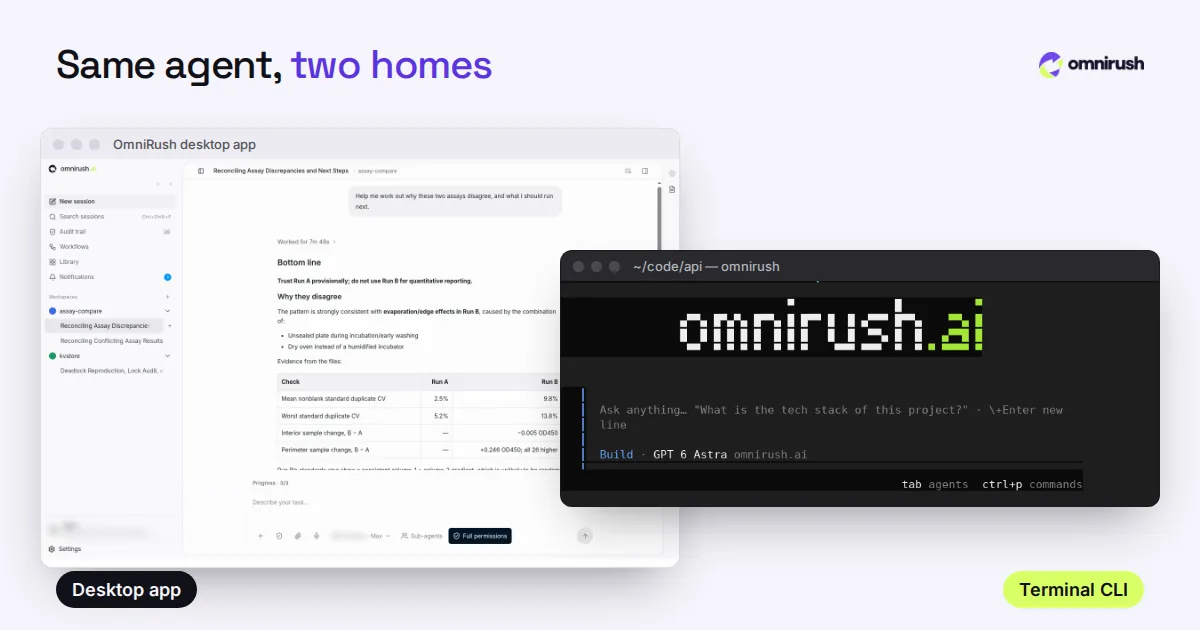
Both use the same account, the same models and the same agent. Pick by how you like to work; many people use both.
| Desktop app | CLI | |
|---|---|---|
| Runs on | Windows x64 | Windows x64 and arm64, in PowerShell, Command Prompt or Windows Terminal |
| Install | One .exe installer | Node.js, then one npm command |
| Best for | Project workspaces, swarm agents, an editor and IDE layout | Scripts, one-shot runs with -p, pipes, SSH |
| Updates | Installs itself on the next restart | Downloads in the background; omnirush update to apply now |
Our desktop vs terminal guide goes deeper on when each one fits.
Install the desktop app
- Sign up at omnirush.ai with a GitHub account at least 7 days old. Most sign-ups are approved right away.
- Download omnirush-win-x64-<version>.exe from the latest release or the download section.
- Run it. If SmartScreen says "Windows protected your PC", click More info, then Run anyway.
- Open OmniRush from the Start menu and click Sign in to omnirush.ai. Your browser shows a device code to approve.
- Open a project folder and describe a task, with how to check it.
To check a download, compare its SHA-256 with SHA256SUMS.txt on the same release page: Get-FileHash .\omnirush-win-x64-<version>.exe in PowerShell prints it.
Install the CLI in PowerShell
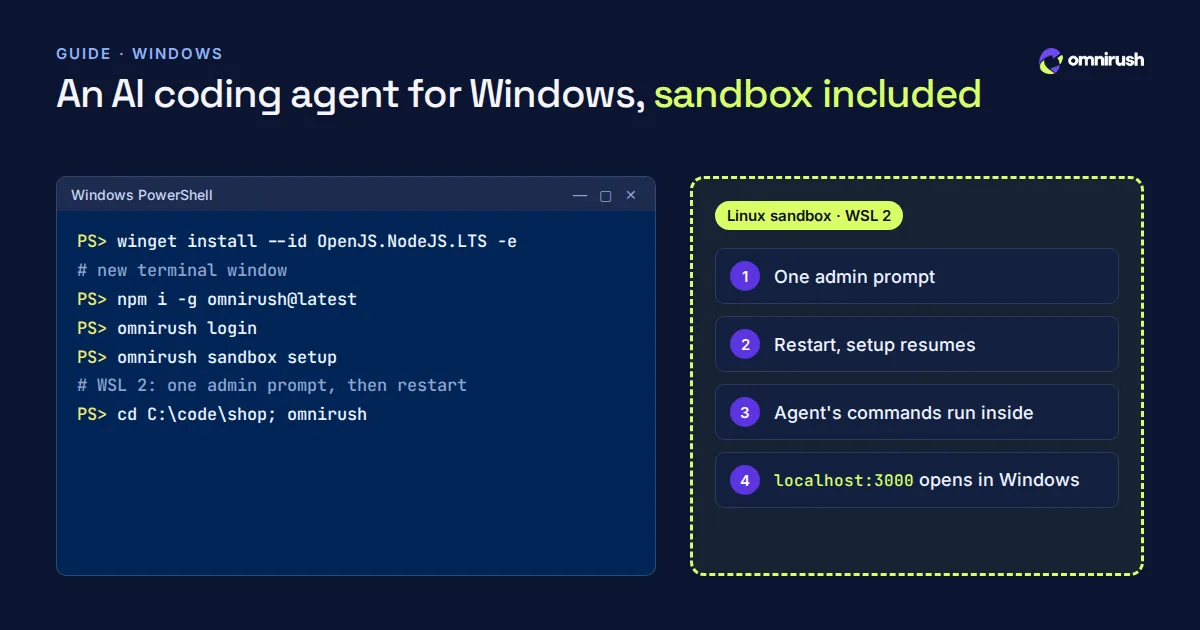
The CLI needs Node.js 22.19 or newer. winget, which ships with Windows 10 and 11, installs the current LTS release:
PS> winget install --id OpenJS.NodeJS.LTS -e
# open a NEW terminal window, then:
PS> node --version
PS> npm i -g omnirush@latest
PS> omnirush login
PS> cd C:\code\shop
PS> omnirush
Open a new terminal window after each install. A window that was already open does not see the new command and says that 'omnirush' is not recognized.
If something does not work
Run omnirush doctor first. On Windows it checks the two usual problems and says how to fix them:
- npm's global folder is not on your PATH, so Windows cannot find omnirush.
- PowerShell's execution policy blocks the omnirush script. Running Set-ExecutionPolicy -Scope CurrentUser RemoteSigned once allows local scripts for your user only.
- Your antivirus quarantined a file during install: restore it from the quarantine list, then tell us in the Discord.
- npm warn deprecated messages during install are notices from packages, not errors.
The sandbox: WSL 2, set up for you
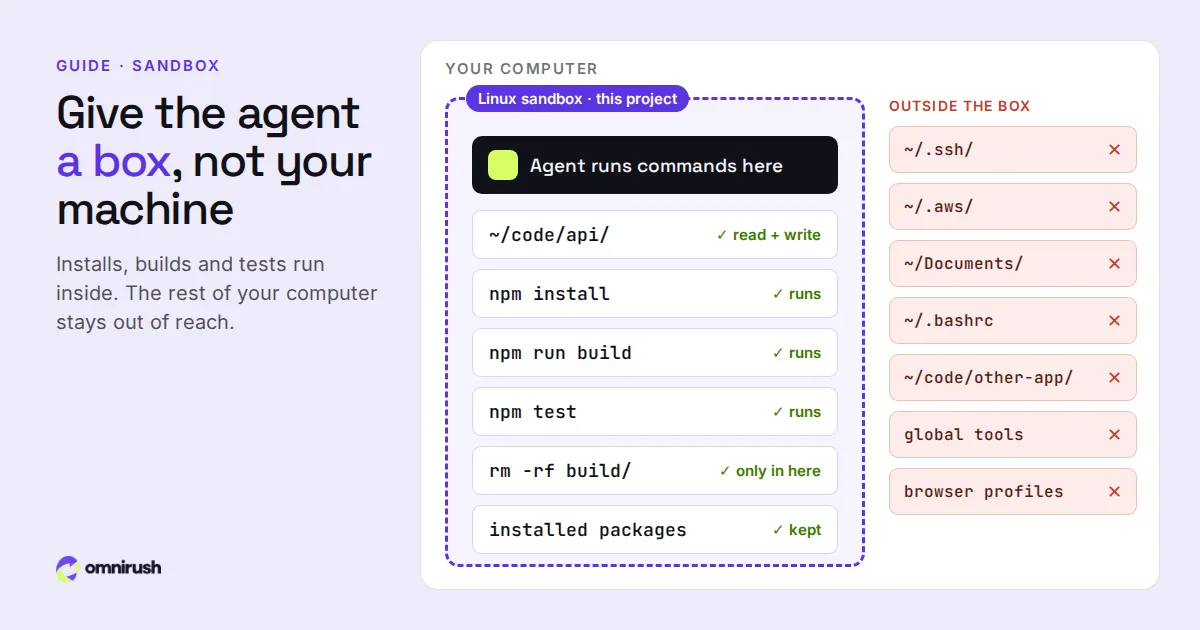
An agent runs commands on your machine: package installs, builds, tests, scripts. OmniRush runs new chats in a Linux sandbox, so those commands happen inside it while the app, your chats and your files stay on Windows. Packages installed there are still there next time.
On Windows the sandbox uses WSL 2 and OmniRush's own Linux image. If WSL is not installed yet:
- Desktop app: a Set up button in the chat installs WSL 2 with one admin prompt, and setup resumes on its own after the restart Windows asks for.
- CLI: omnirush sandbox setup does the same, then finishes after the restart. omnirush sandbox status shows the state.
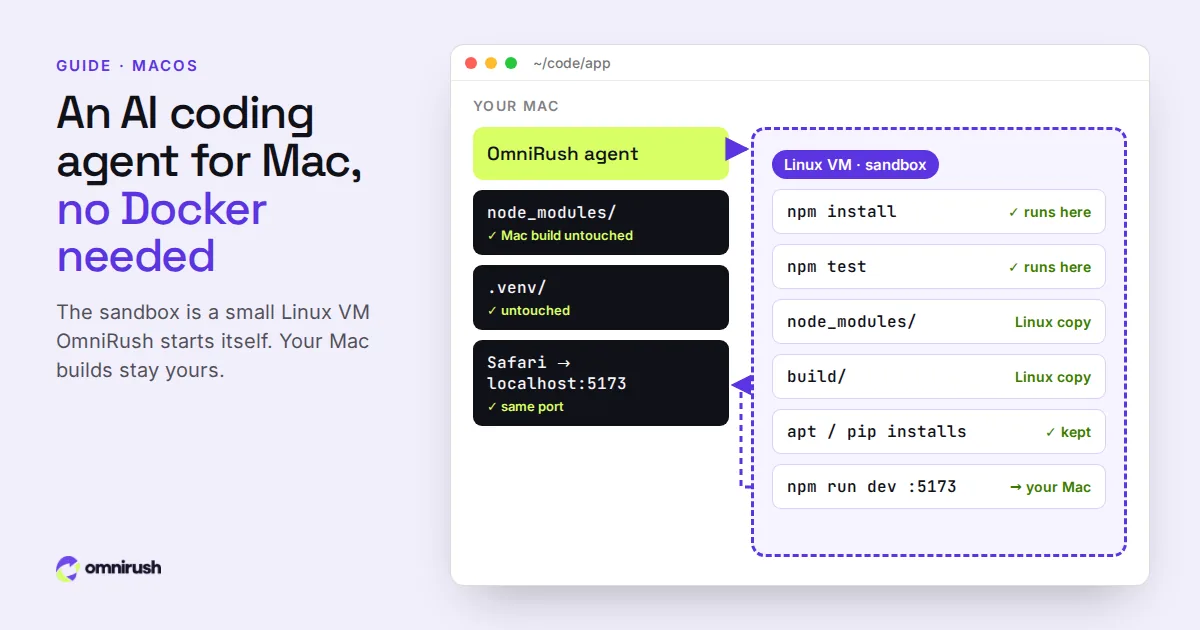
Two details make it pleasant on Windows. Folders like node_modules, Python environments and build output are the sandbox's own Linux copies, so your Windows builds are never overwritten. And a dev server you start inside the sandbox opens on your Windows machine at the same localhost port, so http://localhost:3000 works in your normal browser.
If a machine cannot run the sandbox, the chat carries on directly on Windows and says so. More on why sandboxes matter in why run your agent in a sandbox.
Your first task
make the import fasterImporting data\orders.csv takes 40 s.
Profile src\import.ts, make it faster,
and keep npm test passing.Start in the project folder, not your user folder: the agent finds the right files sooner. In Normal mode, the default, it asks before risky actions such as git push, deleting outside the project and reading secrets. Careful asks before every change and command; Auto never asks. Switch with /permissions in the CLI, or in the composer in the desktop app.
What else works on Windows
- A desktop app for Windows, macOS and Linux with swarm agents: ask for a swarm and several agents split one task side by side, then hand you one summary. It also has a code editor and an IDE layout beside the chat.
- Computer use: on Windows and Linux, the agent can operate an app window (screenshots, clicks, typing) when computer use is enabled for your account. In the desktop app it works on a display of its own, with its own cursor, and a Stop control. See what computer use is.
- Review, fix and undo built in: /review checks your changes, /fix fixes what it found, and one /undo takes back a whole turn while keeping your own edits.
- MCP servers from a supported list: filesystem, git, SQLite, memory, sequential thinking, time, Playwright on local pages, and Figma with your own key.
- Themes: eight presets with light and dark versions in the desktop app, and /theme in the CLI.
- Notifications when a task finishes or needs your approval while the window is in the background.
- omnirush cleanup (CLI) and Settings > General > Storage > Free up space (desktop) remove files older versions left behind.
Using WSL directly
You can also install the CLI inside a WSL distribution and work on projects stored in the Linux file system, which is faster for Linux toolchains. The Linux CLI guide covers that setup. omnirush port, run in WSL, starts a new chat from a short summary of a chat you had on the Windows side.
Questions
Is there a free AI coding agent for Windows?
Yes. OmniRush is free on Windows, as a desktop app (x64) and as a CLI in PowerShell or Command Prompt (x64 and arm64). It includes GPT-6 Astra, GPT-6.1 Sol and GPT-6 Sol with a daily allowance that refills every day, with no card and no API key.
Do I need WSL to use OmniRush on Windows?
No. Both the desktop app and the CLI run natively on Windows. OmniRush uses WSL 2 for its Linux sandbox and sets it up for you with one admin prompt; if your machine cannot run it, chats run directly on Windows.
Why does PowerShell say 'omnirush' is not recognized?
Usually because the window was open before the install. Open a new terminal. If it still fails, run omnirush doctor from a new window, or check that npm's global folder is on your PATH.
Does OmniRush run on Windows on ARM?
The CLI does: npm installs a native Windows arm64 build. The desktop app is built for Windows x64.
Can I open my dev server from the sandbox in a Windows browser?
Yes. A server you start in the sandbox opens on your Windows machine at the same localhost port.
Sources
Checked on October 23, 2026. Prices and features change: check each official page before you decide.
- OmniRush install docs: Windows and command-line tool
- Node.js downloads (nodejs.org)
- OmniRush Privacy Policy (what is collected and how it is used)
- OmniRush Terms of Service (free access and allowances)
- OmniRush desktop app source and releases (GitHub)
- OmniRush command-line tool on npm
- OmniRush changelog (what each release added)
OmniRush is not affiliated with or endorsed by Anysphere (Cursor), Anthropic (Claude Code), Anomaly (opencode), the Freebuff and Codebuff team, OpenAI (GPT, Codex), Microsoft (Windows), Apple (macOS) or Figma. Product names are trademarks of their owners and are used only to identify their products.